Advanced Weapon Component – Blueprint-Only, Fully Customizable
Documentation for the Advanced Weapon Component – Blueprint Only, Multiplayer Ready product on FAB.
Roadmap
These are the changes planned for the product. All buyers will receive them for free.
Ongoing:
YouTube presentation videoDoneProduct description updateDoneRecoil bug fixing, improvements and modularizationDone
Future plans:
- Code comments (tooltips already present)
Free demoDone- New features
ReplicationDone- Bullet penetration Not started
Configuration
/All/Game/WeaponComponent/Data
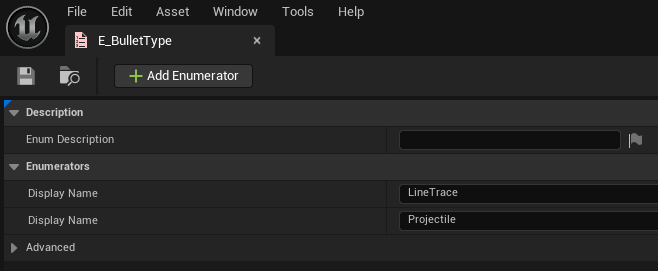
E_BulletType
Description
- Enum for type of bullet - i.e. can be hitscan or projectile based
Possible values
- LineTrace - used for hitscan ("bullet" hit will be instant)
- Projectile - used for spawning projectile when shooting
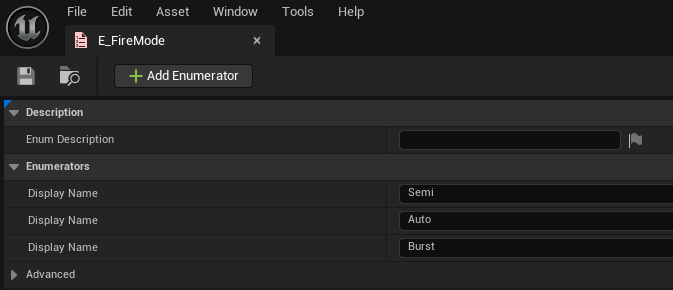
E_FireMode
Description
- Enum for fire mode of the weapon
Possible values
- Semi - semi automatic - it will shoot one bullet per input pressed
- Auto - automatic - it will shoot multiple bullets, one after the other, as long as input is pressed
- Burst - burst - it will shoot multiple bullets, all at once, when input is pressed
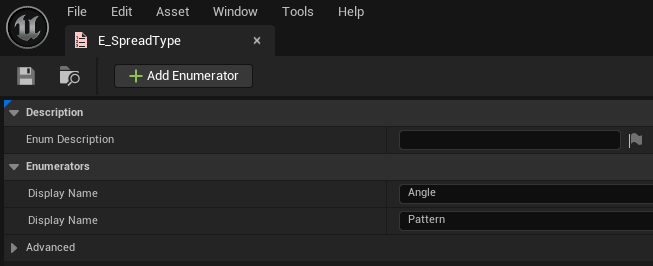
E_SpreadType
Description
- Enum for bullet spread
Possible values
- Angle - bullet spread will be based on provided angle(float value) - the spread will be in a cone with that angle as diameter
- Pattern - pattern exported from EUW_SpreadPattern tool(shipped with the product) will be used for bullet spread
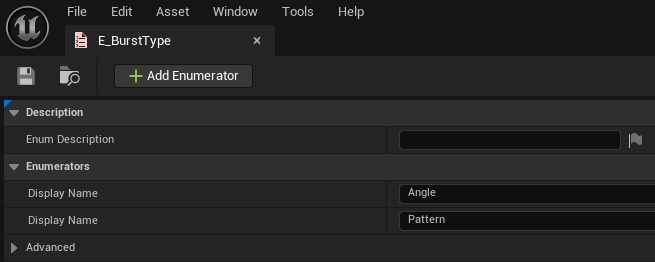
E_BurstType
Description
- Enum for burst - same as the one for bullet spread but will be used only for Burst fire mode
Possible values
- See E_SpreadType - it's the same
S_WeaponFire
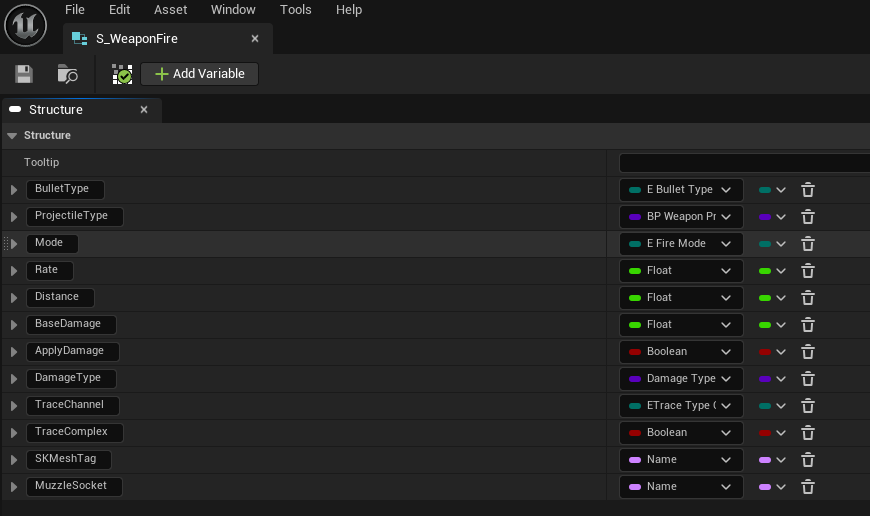
Description
- General configuration for weapon firing
Parameters
- BulletType - the type of firing (hitscan or projectile based) (see E_BulletTypo)
- ProjectileType - the class type of the projectile, only used if BulletType = Projectile
- Mode - firing mode of the weapon (see E_FireMode)
- Rate - fire rate of the weapon in bullets/second
- Distance - distance that the bullet can travel in UE units (cm)
- BaseDamage - base damage to apply per bullet hit
- ApplyDamage - let the AWC handle the damage application (UE5 damage system) or let user handle it - if false, no damage application will be done
- DamageType - type of damage for weapon
- TraceChannel - channel to be used for traces when firing (this is also used for projectile based fire, not only for hitscan)
- SKMeshTag - tag that is set on the Weapon skeletal mesh - this is needed in order to find the MuzzleSocket
- MuzzleSocket - the muzzle socket on the Weapon skeletal mesh - basically, it's the starting position of the bullet
S_SpreadAngle
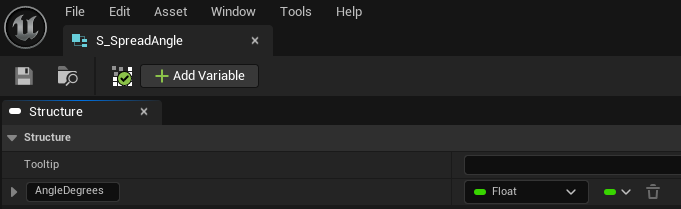
Description
- Used for weapon spread - only if SpreadType == Angle (see E_SpreadType)
Parameters
- AngleDegrees - the angle in degrees for the cone in which the bullets will spawn
S_SpreadPattern
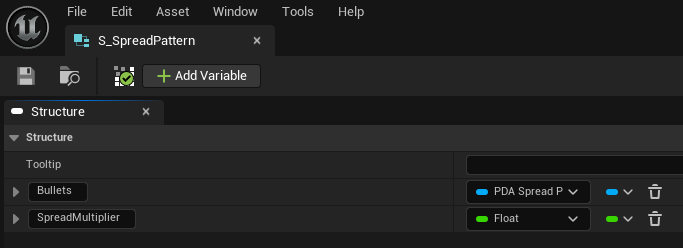
Description
- Used for weapon spread - only if SpreadType == Pattern(see E_SpreadType)
Parameters
- Bullets - spread pattern generated by EUW_SpreadPattern tool
- SpreadMultiplier - the spread pattern is normalized and this is used for how much spread to apply - can be changed for more/less spread per bullet
S_WeaponSpread
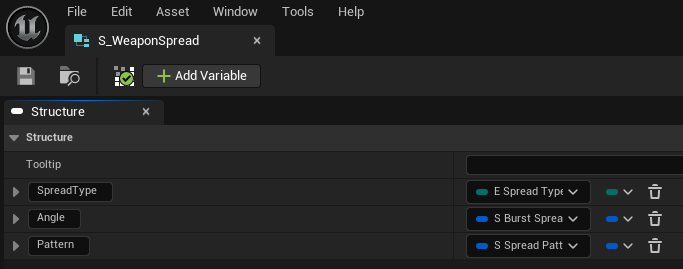
Description
- Weapon spread settings - uses E_SpreadType, S_BurstSpreadAngle and S_SpreadPattern
Parameters
- SpreadType - how to calculate the spread (angle or pattern)
- Angle - if SpreadType == Angle, see S_BurstSpreadAngle
- Pattern - if SpreadType == Pattern, see S_BurstPattern
S_WeaponRecoil
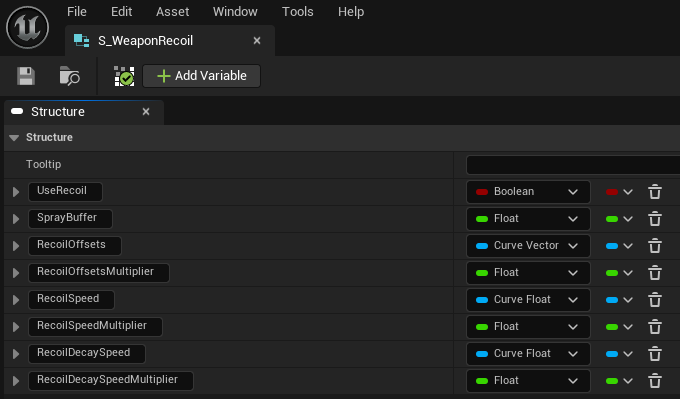
Description
- Settings for weapon recoil
Parameters
- UseRecoil - controls whether recoil to be applied or not(if false, other settings do not matter)
- SprayBuffer - buffer of time for each shot in order to be considered spraying - i.e. if fire rate is 3 and buffer is 0.5 it means that if the weapon is shot faster than 0.33s(3 bullets/sec) + 0.5s, it is spraying
- RecoilOffsets - recoil to be applied/bullet as a curve (x and y -> pitch and yaw offsets, time is the actual bullet index, z is not used)
- RecoilOffsetsMultiplier - multiplier for RecoilOffsets
- RecoilSpeed - how fast to apply the recoil
- RecoilSpeedMultiplier - multiplier for RecoilSpeed
- RecoilDecaySpeed - how fast to decay recoil
- RecoilDecaySpeedMultiplier - multiplier for RecoilDecaySpeed
S_BurstSpreadAngle
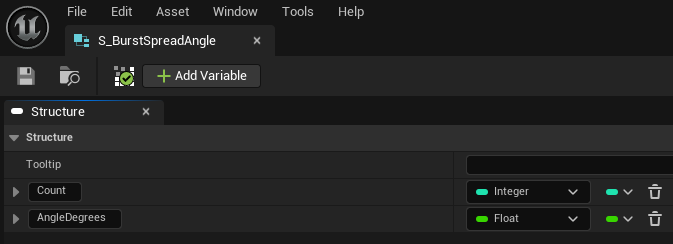
Description
- Settings for BurstMode when Type == Angle
Parameters
- Count - number of bullets to be shot
- AngleDegrees - bullet spread will be based on provided angle(float value) - the spread will be in a cone with that angle as diameter
S_WeaponBurst
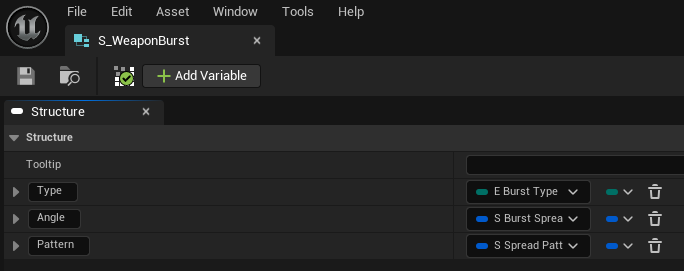
Description
- Settings for Burst Mode (only used when E_FireMode == Burst)
Parameters
- Type - type to use for weapon burst, either angle or pattern
- Angle - only used if Type == Angle
- Pattern - only used if Type == Pattern
S_WeaponAmmo
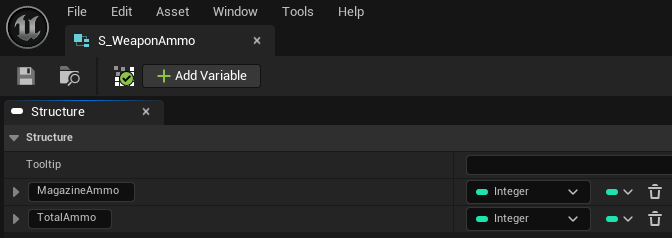
Description
- Simple settings for Ammo logic
Parameters
- MagazineAmmo - how many bullets there are per magazine
- TotalAmmo - how many bullets does the gun have - this is without what is in the magazine
S_WeaponFX
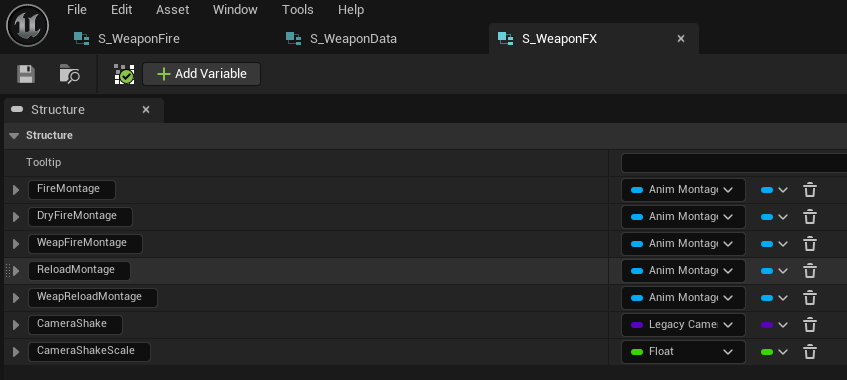
Description
- Configuration for montages and camera shake effects - sfx and vfx can be applied directly from montages or by using OnBulletHit/OnBulletShot/OnWeaponFired events
Parameters
- FireMontage - montage to be played on the character when StartShooting event is called, as long as there is ammo in the magazine
- DryFireMontage - montage to be played on the character when StartShooting event is called, but there's no ammo in the magazine
- WeapFireMontage - montage to be played on the weapon when StartShooting event is called
- ReloadeMontage - montage to be played on the character when Reload event is called
- WeapReloadMontage - montage to be played on the weapon when Reload event is called
- CameraShake - camera shake effect to be played when shooting
- CameraShakeScale - scale of the previosly mentioned CameraShake effect
S_WeaponData
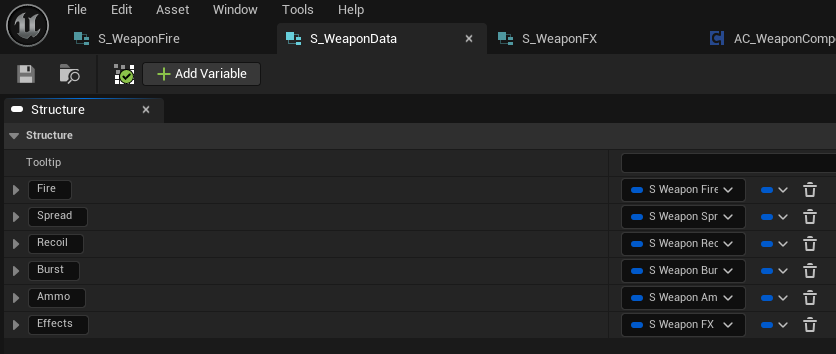
Description
- Configuration for the weapon. This aggregates all the previously mentioned data types. This is needed per weapon to configure everything.
Events
OnBulletHit
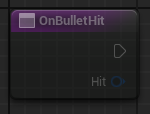
Description
- Called when a bullet hits something
- Can be used to apply damage, spawn decals etc
Arguments
- Hit - the HitResult structure
OnBulletShot
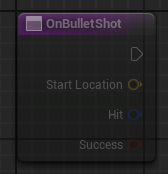
Description
- Called when a bullet spawns (or the line trace is fired)
- Can be used for playing sounds, niagara fx and others.
Arguments
- StartLocation - the location where the bullet has spawned (i.e. the muzzle socket position)
- Hit - HitResult of the actual trace
- Success - if the trace hit something or not
OnMagazineEmpty
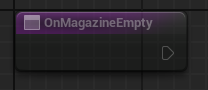
Description
- Called when there are no more bullets in the current magazine
OnOutOfAmmo
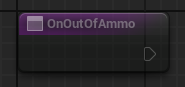
Description
- Called when there are no more bullets
OnWeaponFired
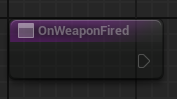
Description
- Called when the weapon is fired (not per bullet - i.e. on burst, will be called once even if the burst has more bullets)
Projectile
The Projectile Actor used for the Advanced Weapon Component is BP_WeaponProjectile.
It is a simple Projectile type Actor that only has two important updates:
- Calls BulletHit event from AC_AdvancedWeaponComponent when Hit event occurs
- Uses custom collision settings: object type is Destructible and response to Destructible is "Ignore"
- this setup is done in order for burst to work accordingly when using projectiles - projectile should not collide with each other
Any custom Projectile can be used as long as it calls BulletHit when Hit event occurs and uses object type that does not respond to itself. Aside from that, the type of "ProjectileType" variable in "S_WeaponFire" should be changed from "BP_WeaponProjectile" to custom provided Projectile type.
Known Bugs
Recoil
Decay recoil overshootsDoneDecay recoil speed timeline is not used - it has linear decayDone
General Shooting
Shooting spread is not reset if no recoil appliedDoneIn example, effects are not shown if the bullets do not hitDone